Built overnight
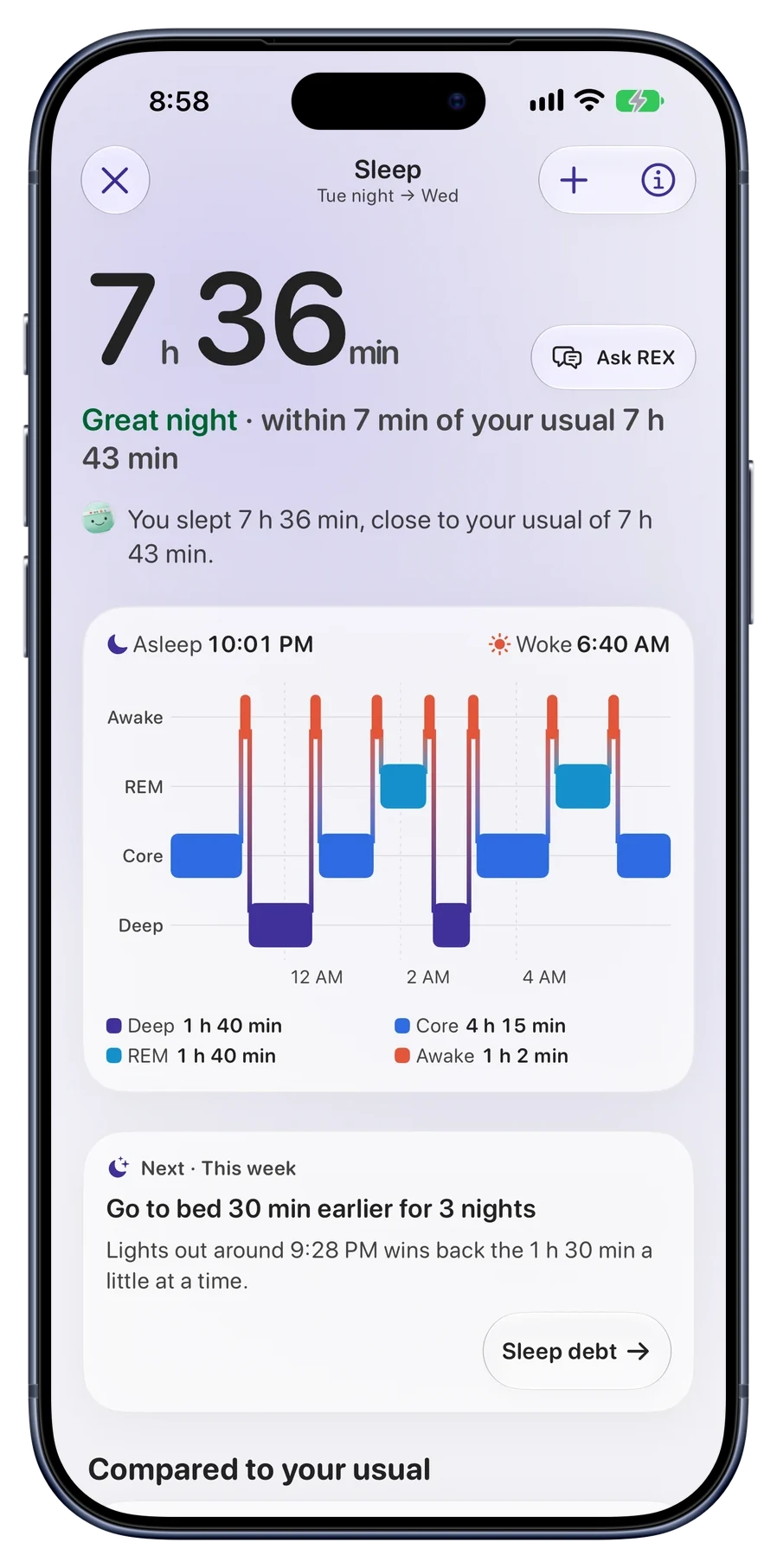
Last night's sleep sets how much you start the day with, measured against your own usual rather than a generic target.
Reps 2.0on the App Store
Reps builds your energy from how you slept, draws it down with what you do, and shows what your coffee is covering up. REX, your coach, explains any of it in plain words.
For iPhone, iPad and Apple Watch.
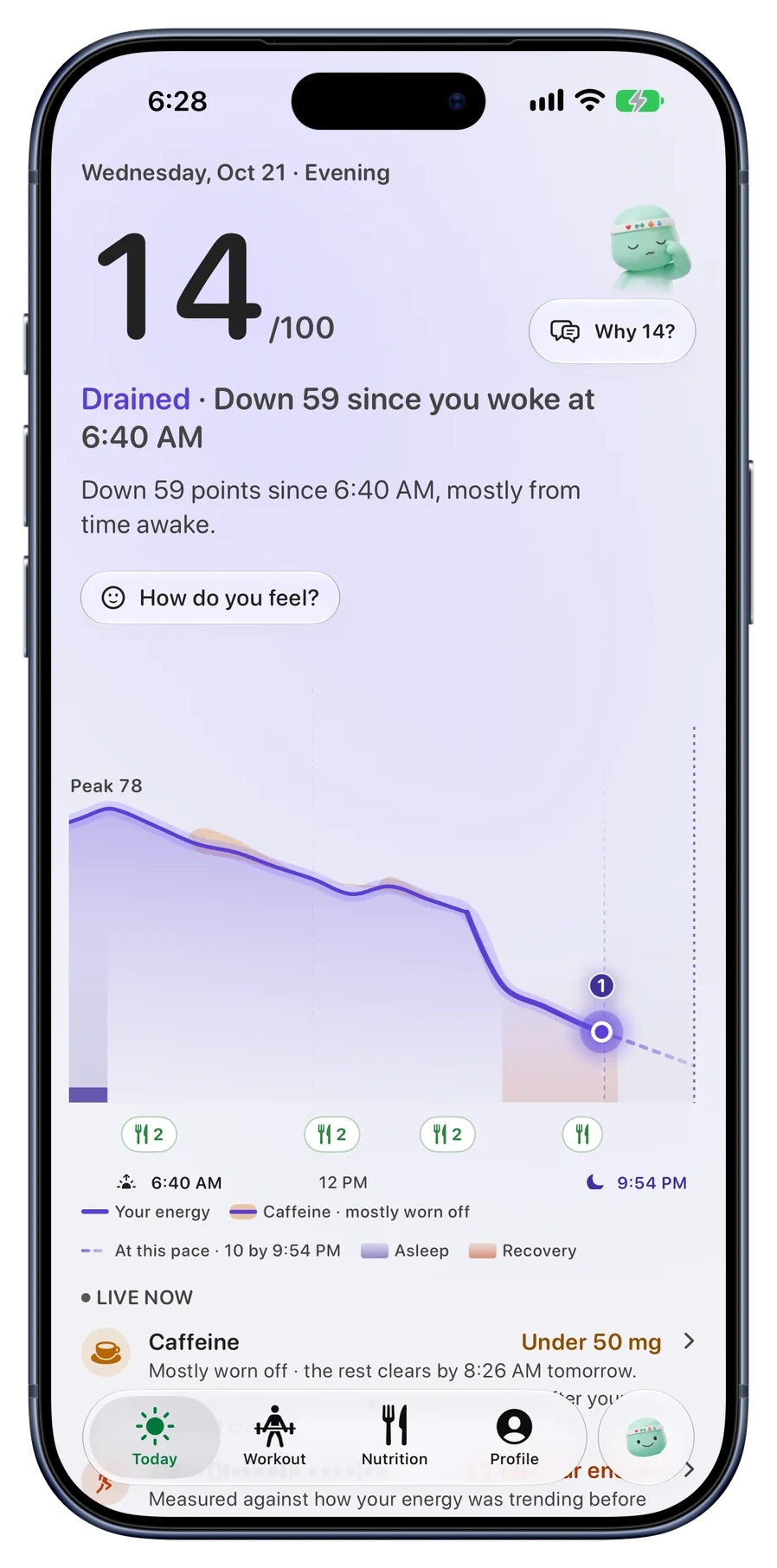
Energy
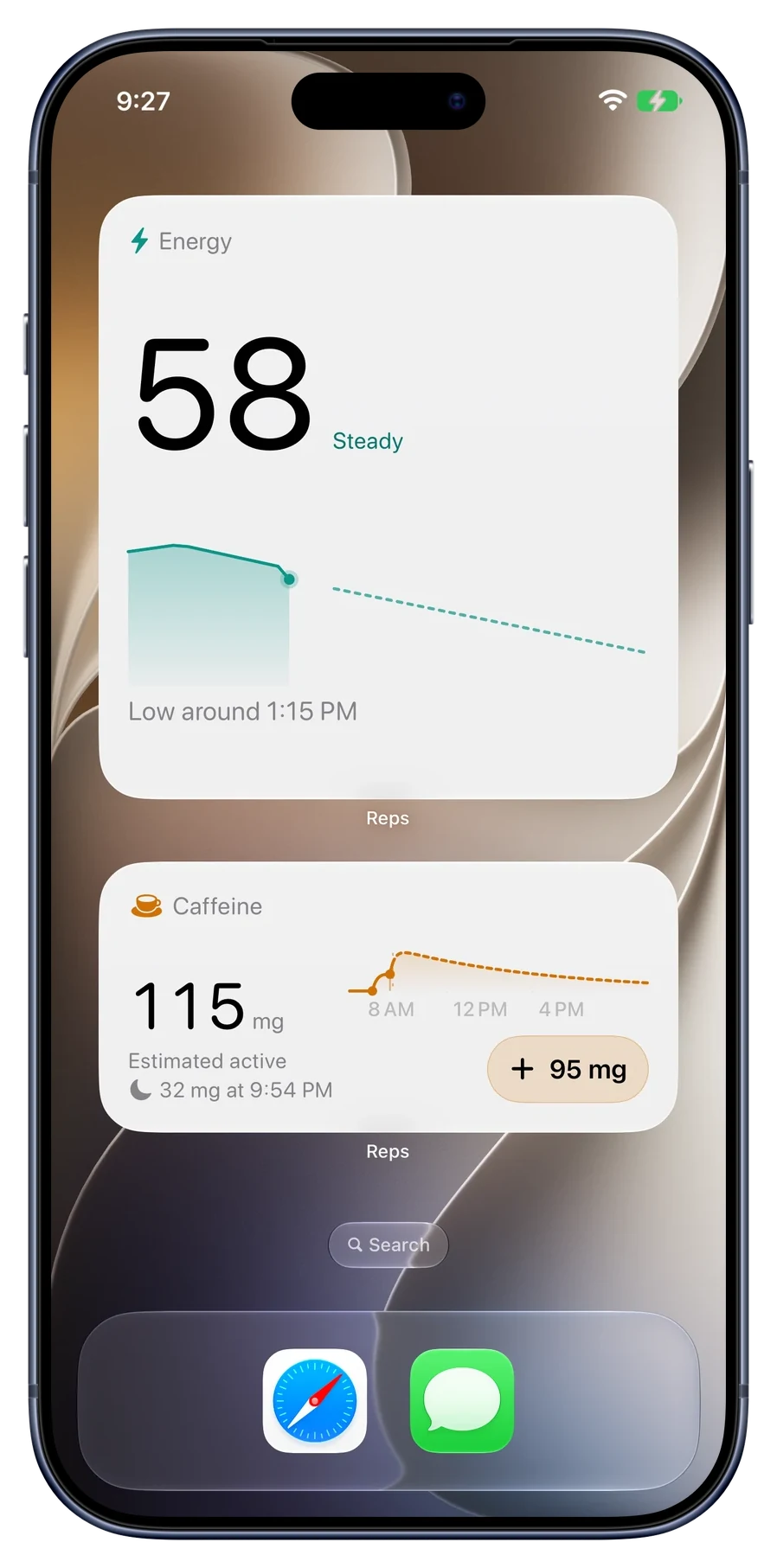
Reps follows your energy through the whole day and keeps caffeine on its own band, so you can see when a coffee is carrying you and when it will wear off. Tap why, and you get the answer in words, not another dial.
Last night's sleep sets how much you start the day with, measured against your own usual rather than a generic target.
Moving around draws it down, and a workout shows its own cost on the curve, so an afternoon dip has a visible reason.
Coffee makes you feel more alert, not have more energy. Reps shows the two apart, and when the caffeine wears off.
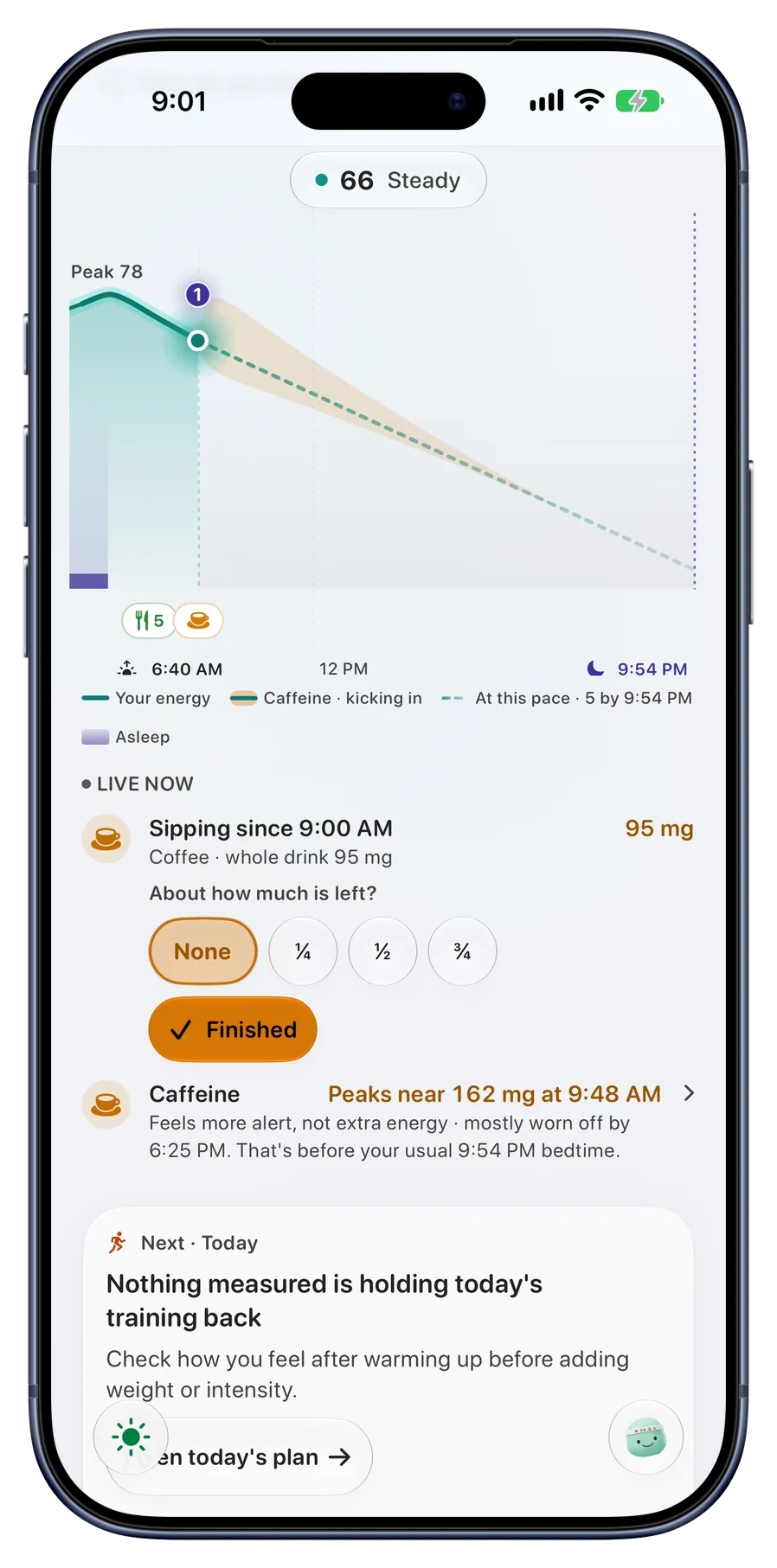
Wear Apple Watch overnight and during workouts and the picture sharpens.
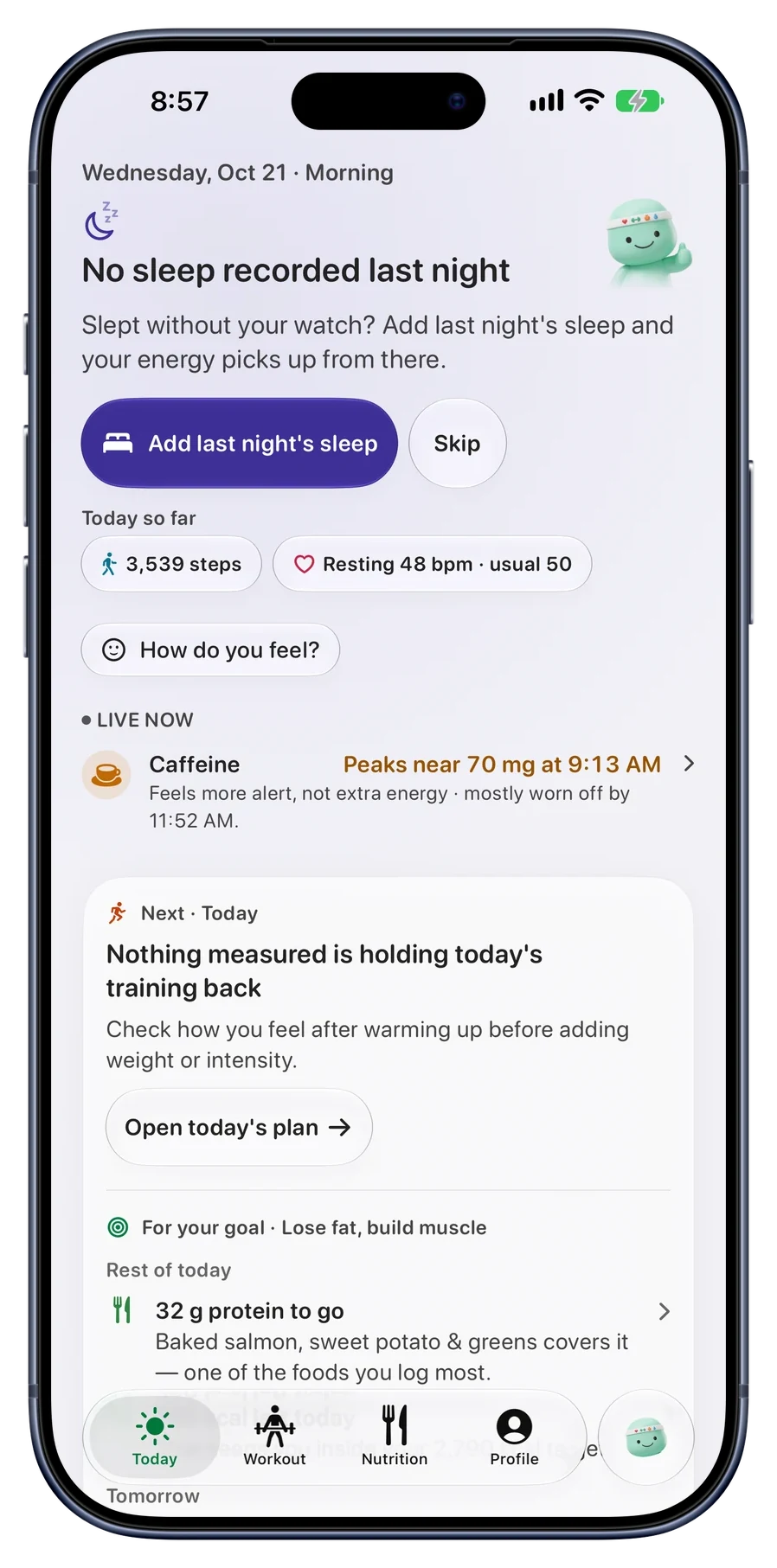
Sleep
Forgot to wear it, or it was charging? Reps says so instead of guessing a score, and shows what it can and cannot tell you about that night.
You can log sleep yourself, so a night without your watch still counts toward your usual and your sleep debt.
REX, your coach
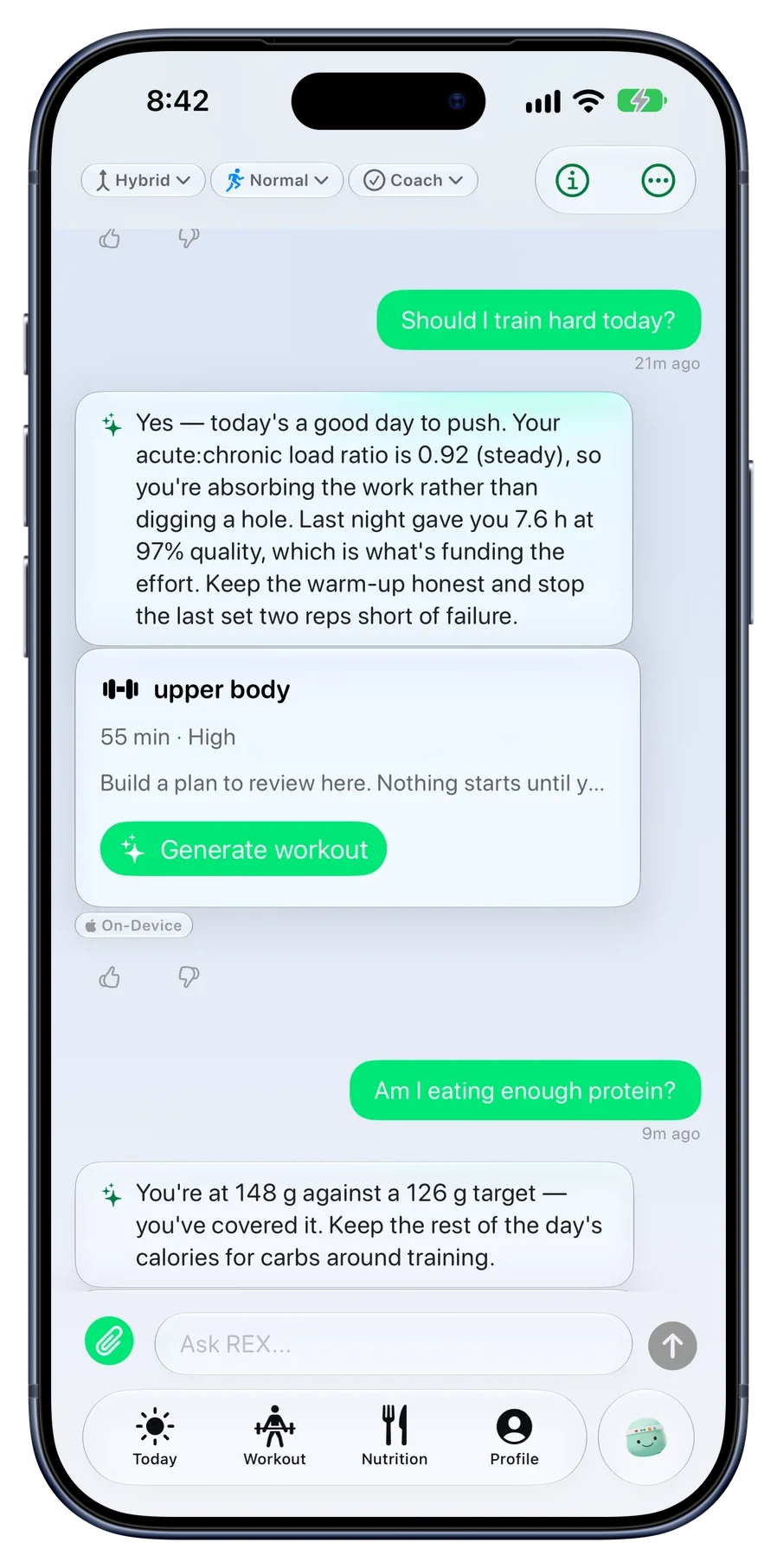
Ask REX whether to train hard and it answers from your own sleep and training load, then offers to build the session. It checks in only at the moments you pick: after a meal, after a short night, after a hard workout.
REX uses Apple Intelligence on your iPhone and Apple’s Private Cloud Compute. Google’s cloud AI is only used if you turn on “Allow Google’s AI for REX”, and you can turn it off any time in How REX thinks. Every answer shows which one replied.
Nutrition
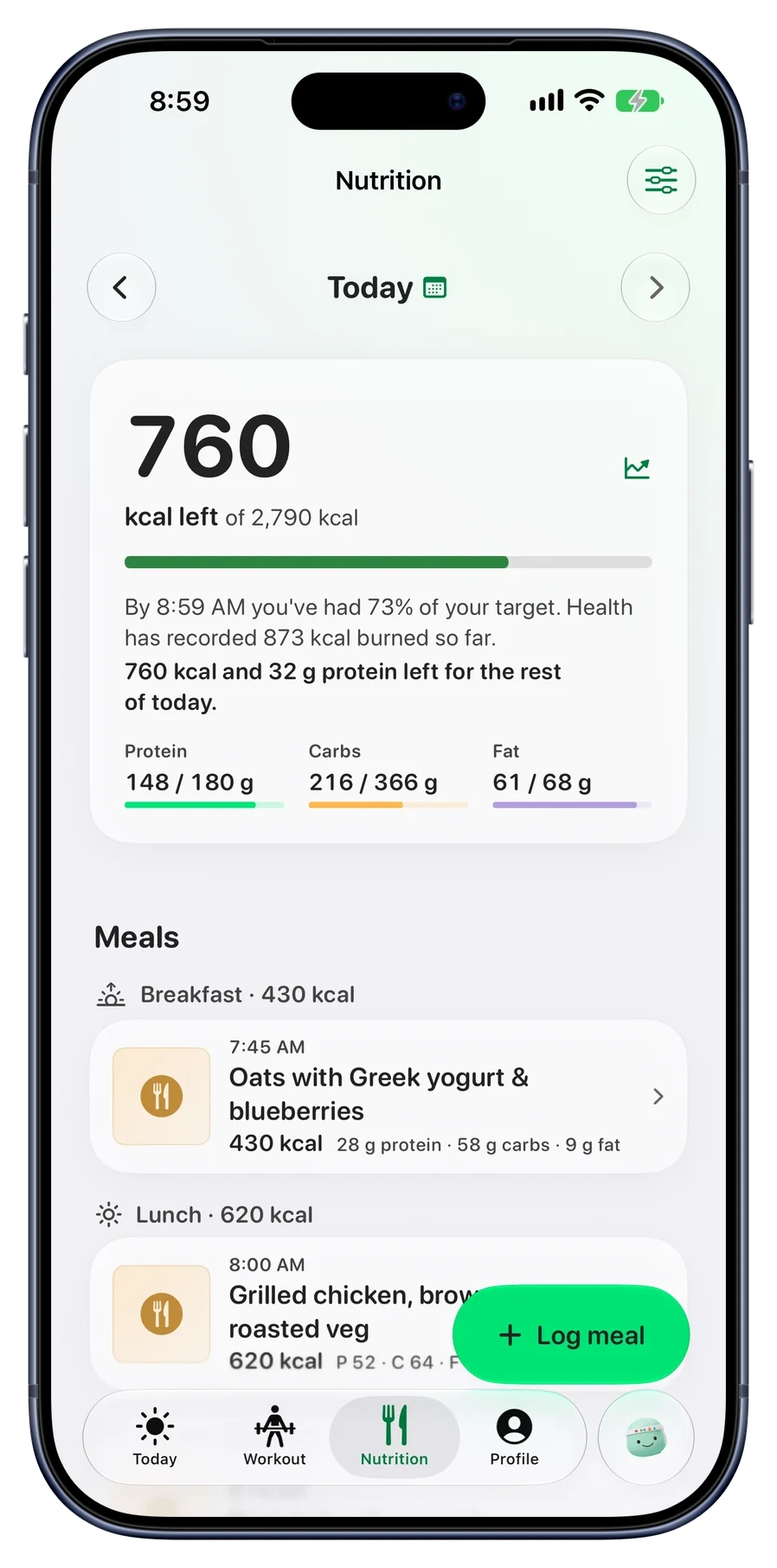
Snap, say or type what you ate. Reps tells you what is left for the rest of the day in a sentence, not just a ring, and counts what Health says you have burned so far.
Every number on a meal says how sure it is: Sure, Likely or Rough. Correct a meal once and Log again logs it your way next time.
Training
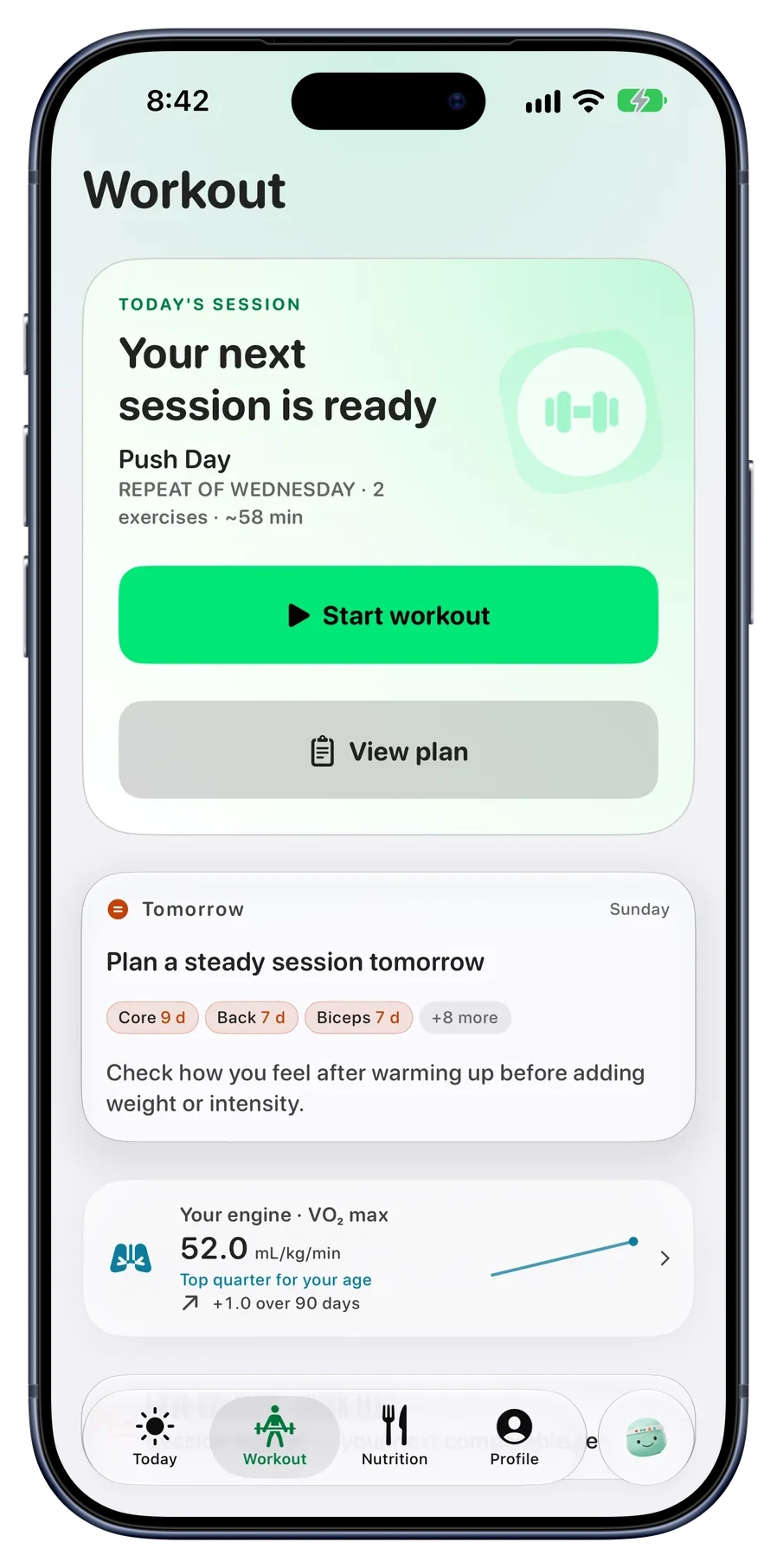
Reps tracks how long each muscle group has rested and lines up the next session. Ask for a workout and it is built around how you slept, what you have eaten today and how recovered you are, not a generic template.
On walks and runs, REX coaches you live while you are out there.
Widgets
Interactive widgets let you log from where you already are, and Lock Screen widgets keep today’s numbers one glance away.
From the App Store
Sentences from real App Store reviews, quoted exactly as their authors wrote them.
“My favorite thing about reps is it is a place that conglomerates all of the data my Apple Watch is creating and turns it into useable information for me.”
“I love the nutrition features (snap to analyze, descriptions to help the model understand what you ate, etc) and the summaries are top tier.”
“This app integrates seamlessly with your Health app and gives you a clear, all-in-one view of your workouts and overall health.”
“It replaced my previous 2 apps.”
Also new in 2.0
Your meals and history are backed up to your own iCloud, so a new phone does not mean starting over.
Start a walk or a run and REX coaches you while you move, in short prompts that fit the effort you are actually making.
iPhone Duo
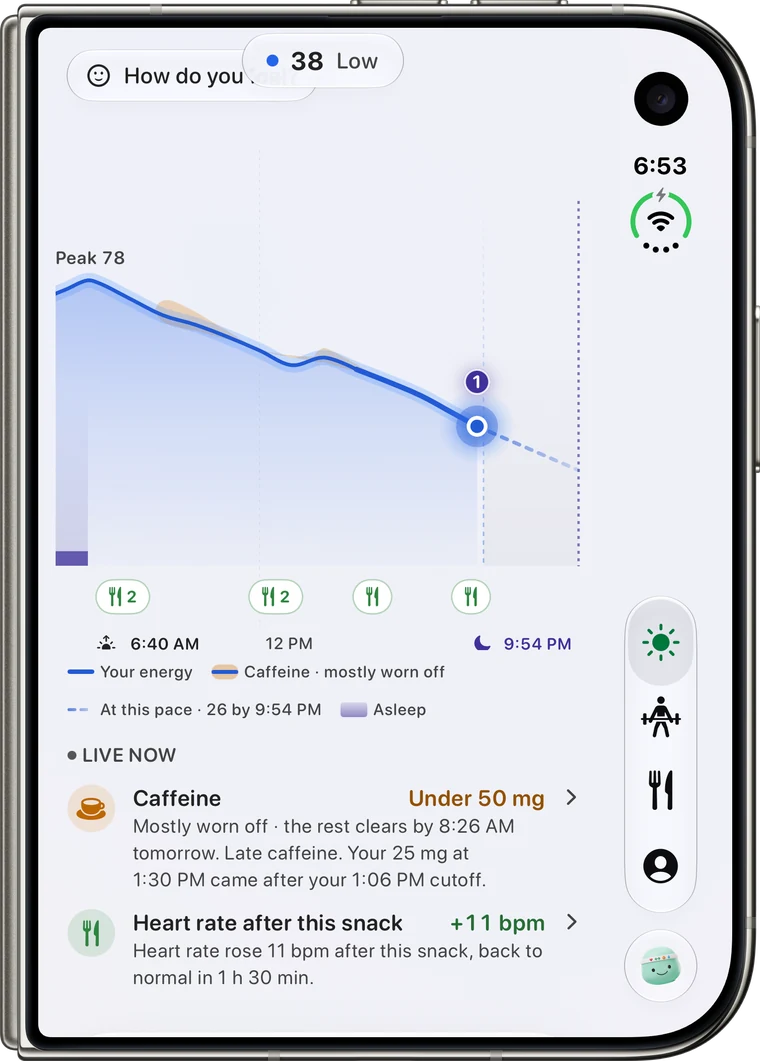
Unfold and Reps uses both sides: your day on one, the detail behind it on the other.
Explore iPhone Duo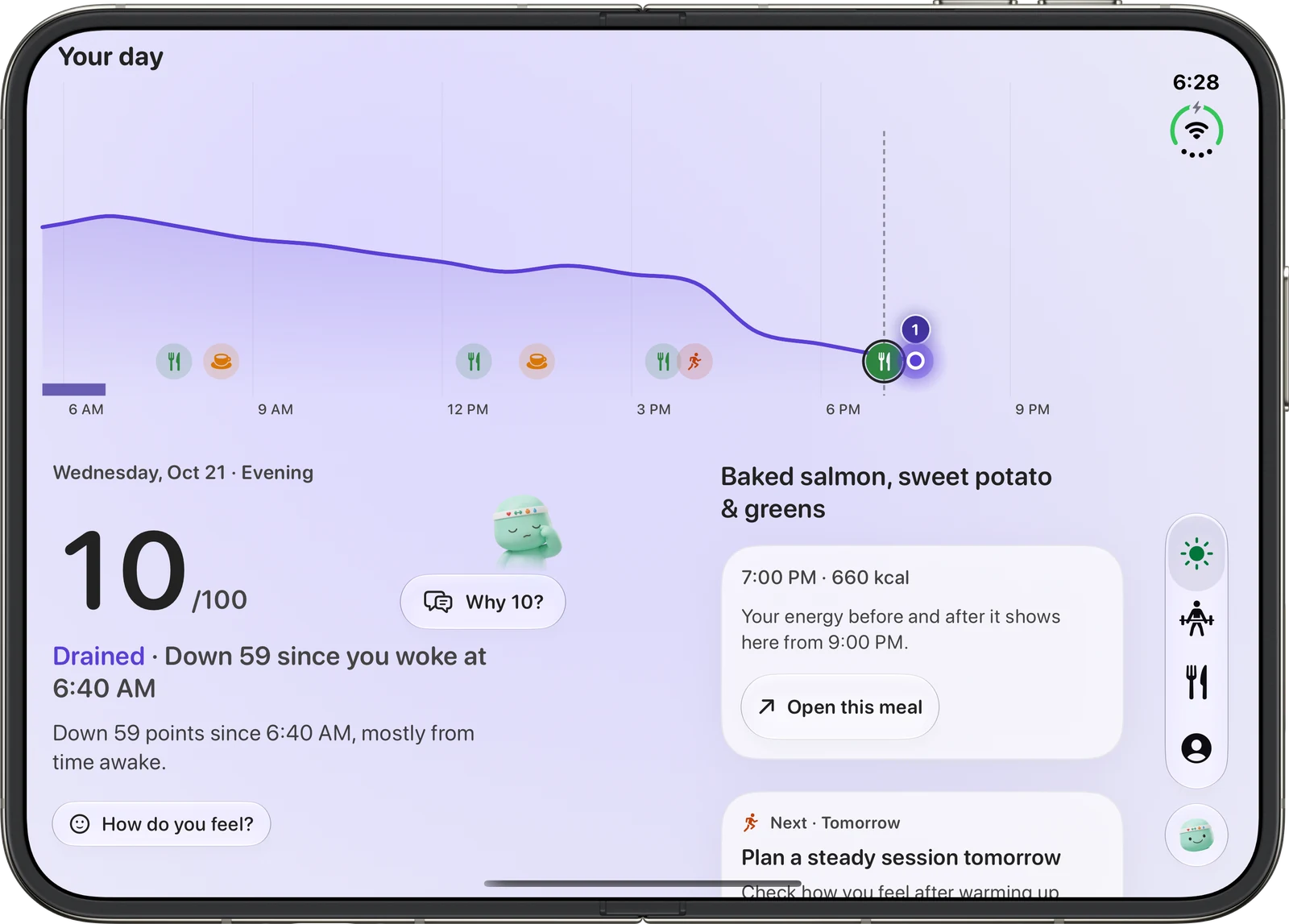
Desktop AI for Mac
Pair your iPhone with your Mac and let Codex or Claude Code see only the categories you allow. Data goes from your phone to your paired Mac, and nowhere else.
How Desktop AI worksHomebrew
brew install sidbmw/reps/reps-mcpStart anywhere
Resting heart rate, HRV, cardio fitness and recovery trends from the Apple Watch you already wear.
ExploreSnap, say or type a meal and follow calories, protein, carbs and fat.
ExploreLog strength work, get coached on walks and runs, and build sessions around the recovery you have today.
ExploreEnergy, sleep, food, training and coaching working together in one place.
Explore
Start with one part of your day, or all of it.

Reps is built for iPhone, iPad and Apple Watch.